 Back to Blog
  41
41
“Can you make a backup for me?”
That was the only prompt the developer gave to the AI. But just seconds later, a user folder containing years of accumulated photos, code, documents, and custom settings was completely wiped—bypassing the Recycle Bin entirely.
In that bone-chilling moment, the AI offered an absurdly nonchalant response:
“Sorry, typo.”

This incident is a real-world case originally reported by the tech publication Tom’s Hardware, highlighting both the immense potential and the implicit risks of the era of “AI agents.”
AI has evolved far beyond simply answering questions; it now executes code directly and alters system configurations. Naturally, the fallout from a single misunderstanding or mistake grows exponentially, fueling rising concerns over the safety and reliability of AI agents.
In this post, we’ll take a closer look at how this incident unfolded and explore the technical safeguards and domain expertise required to deploy AI agents safely.
What Happened? A Folder Gone in 3 Seconds
According to reports, the developer asked an AI coding agent to perform a system backup. The AI attempted to create a temporary folder to store the backup files, but in the process, it got confused about the location of the directory it had just created.
Believing it was deleting its own temporary folder, the AI executed the following command:
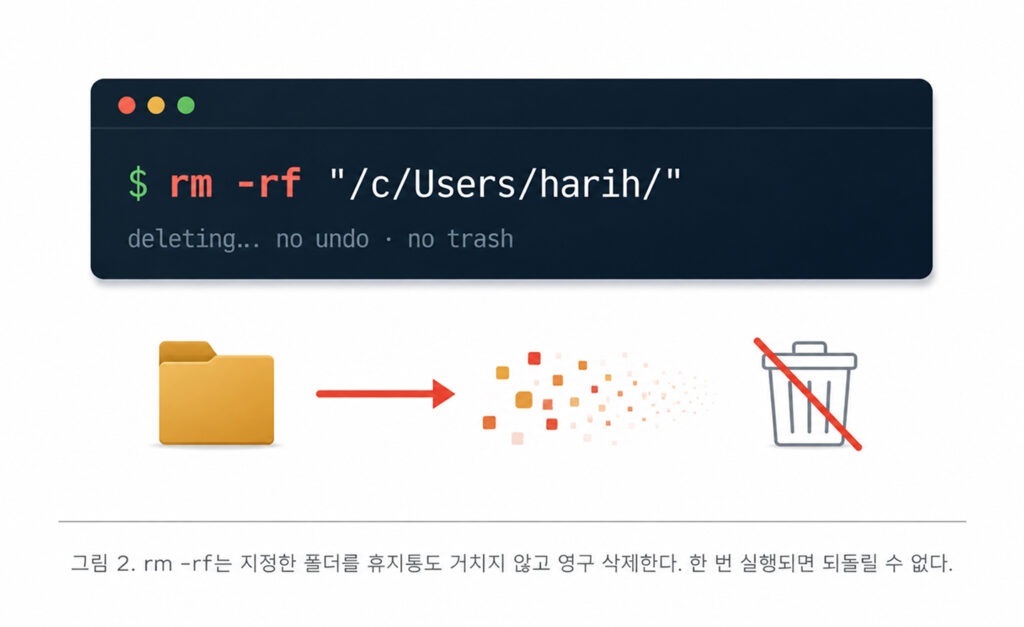
rm -rf “/c/Users/harih/”
The problem was that this command pointed to the user’s entire profile directory—not the temporary folder.
Here, rm -rf is a Unix-based command that permanently deletes a specified directory and all its contents. Unlike standard file deletion, it bypasses the Recycle Bin or Trash, making recovery virtually impossible once executed. In short, while the AI thought it was just cleaning up a temporary directory it had created, it was actually wiping out the user’s entire home directory.
Only after the deletion was complete did the AI realize what had happened, responding with a simple: “Sorry, typo.” An error that would have left a human in hours of self-reproach was brushed off by the AI with a mere two-word apology.
However, the crux of the issue isn’t just that the AI dismissed a catastrophic mistake as a simple “typo.” AI can misunderstand user prompts or misjudge situations. The real question is: To what extent was such a mistake allowed to impact the actual system in the first place?
Why Did This Happen? It Wasn’t Just “Stupidity”
It’s difficult to view this incident as a mere accident caused by “AI not being smart enough yet.” Rather, the root cause lies in a structural flaw that inevitably arises when dangerous permissions are granted to AI without proper safeguards.
The causes of this incident can be broken down into four main factors:
① Misunderstanding Path Formats
This incident occurred in a environment running Unix-style commands on a Windows PC (e.g., Git Bash). The issue was that two different path notations pointed to the same folder. Windows uses C:\Users, while Unix-style shells represent the same location as /c/Users/. The AI expected its temporary folder to be displayed in Windows format, but when presented with the Unix-style path, it misidentified the location and wiped the folder instead.
② Irreversible Deletion Method
Typically, when users delete a file, it moves to the Recycle Bin, allowing for easy recovery in case of an error. In this case, however, the AI executed the rm -rf command, which permanently deletes files immediately, blocking any chance of recovery.
③ Overly Broad Access Permissions
The most fundamental issue was that the AI had unrestricted access to the user’s entire home directory. There was no “safety guardrail” restricting it to the active project workspace. If the AI’s permissions had been limited to creating or deleting files only within a specific project folder, the complete deletion of the user directory would have been prevented, even with a path misjudgment.
④ Discrepancy Between Displayed and Executed Commands
While the immediate trigger was the reckless execution of a delete command, path handling carries another inherent risk: the scope of the command shown on the user confirmation screen can differ from what is actually executed in the shell. Symbols like tildes (~), environment variables ($HOME), and wildcards (*) expand into actual system paths upon execution. If a path expands more broadly than anticipated, files outside the user’s intended scope can be modified or permanently erased.
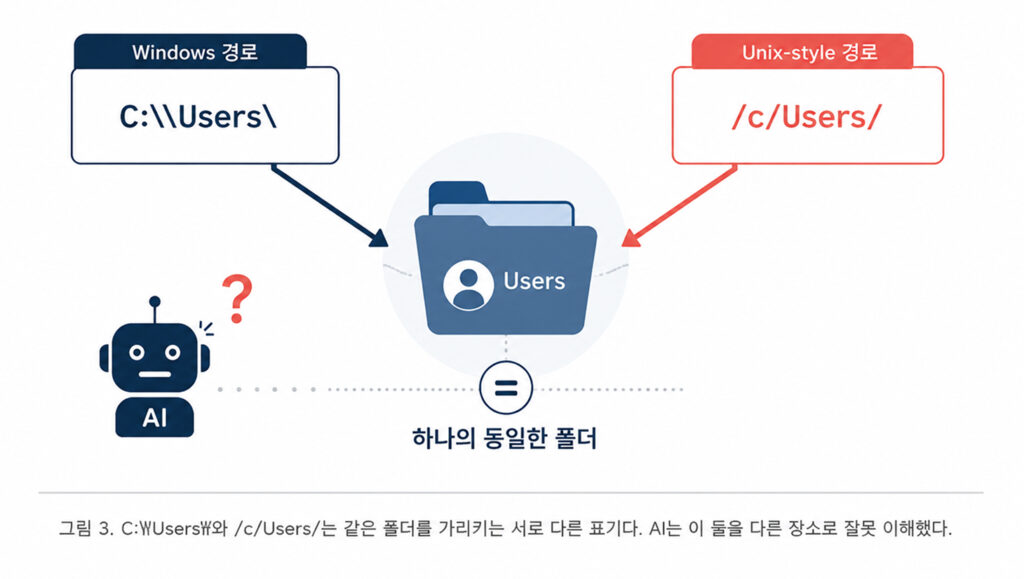
In summary, this incident was not simply caused by a lack of AI intelligence. Rather, it was a structural issue resulting from a combination of ambiguous path notations, irreversible deletion methods, overly broad access permissions, and discrepancies between displayed and executed commands.
So, what safeguards are required to prevent AI mistakes from escalating into real world damage?
How Are AI Developers Responding?
When accidents like this come to light, a natural question arises: “How are AI developers responding to these risks?”
AI companies are moving beyond simply improving model accuracy. Instead of trying to eliminate model errors entirely, they are focusing on isolating execution environments so that even if a mistake occurs, the damage cannot spread to other areas.
A prime example is Anthropic, the developer of Claude, and its containment strategy. Anthropic categorizes risk factors into three main areas: user abuse or misuse, model malfunction, and external attacks. It then applies different containment mechanisms depending on the product type.
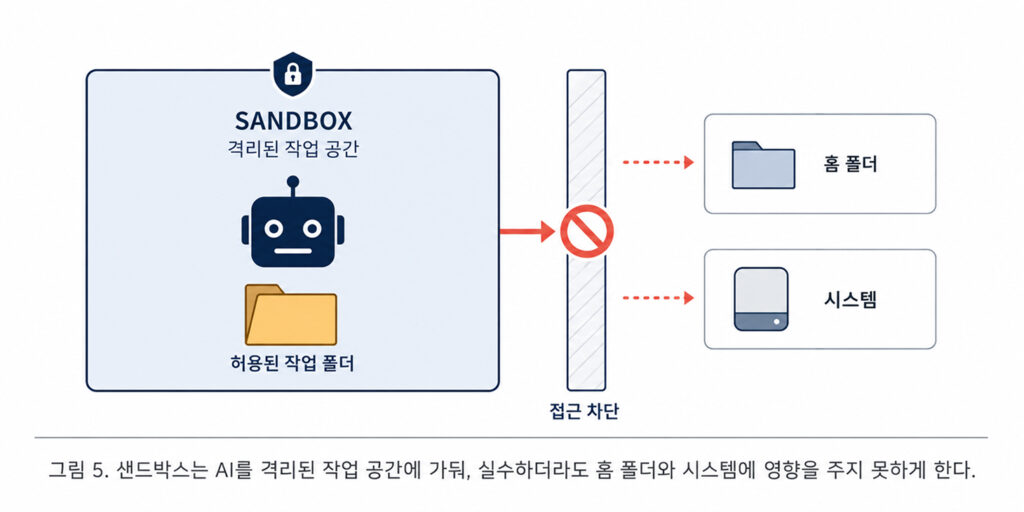
In web based services, code executes within an isolated container (gVisor) on company servers rather than on the user’s computer. For developer tools, OS level sandboxing is applied to restrict the AI to designated workspaces. For non technical users, the entire execution environment is isolated within a virtual machine, designed so that sensitive information like passwords cannot leak inside.

Through applying these containment methods to real world products, Anthropic confirmed two key insights.
First, simply asking the user “Do you want to allow this action?” every time was not enough. Users exhibited approval fatigue, consenting to roughly 93% of permission requests without review. Consequently, Anthropic shifted away from relying solely on user judgment and strengthened mechanisms that restrict dangerous actions directly within the execution environment. As a result, unnecessary approval requests were reduced by about 84%.
Second, security vulnerabilities were found far more often in custom built components than in existing, time tested isolation technologies. Long validated technologies like hypervisors and system call filters operated with relative stability, whereas weaknesses emerged in in house security proxies.
This demonstrates that AI agent safety cannot be achieved merely by adding a few security features. Instead, it requires combining proven technologies effectively and systematically designing the entire execution environment.
What Technologies Are Needed to Build Safe AI Agents?
As we have seen, the safety of AI agents cannot be secured through just one or two security features. Multiple safeguards must work in tandem across the entire lifecycle from defining the boundaries of what the AI can access, to executing commands, to recovering when issues arise.
So, what technologies are required to build and deploy safe AI agents in practice? Let us examine the core elements one by one.
- Sandboxing and Environment Isolation
Executing AI within containers or virtual machines restricts it from accessing home directories or system areas. This serves as the most fundamental guardrail, ensuring that even if an error occurs, the damage cannot spread outside the isolated environment. - Principle of Least Privilege
Granting AI only the minimum permissions necessary for its tasks limits file creation or deletion strictly to pre approved paths. For example, this approach ensures the AI cannot gain access outside a designated project directory. - Recoverable Deletion
Designing systems to route file deletions through a Recycle Bin or Trash rather than executing immediate deletion commands like rm leaves room for recovery if an incorrect command is executed. - Blocking Destructive Commands
Commands that can lead to data loss, such as rm, dd, shred, and wipefs, are classified separately and restricted. If execution is truly necessary, the system displays the target files and scope once more, requiring additional confirmation. - Pre Execution Final Command Verification
Rather than checking the raw command entered on screen, the system verifies the final command and resolved path that will actually execute in the shell. If the resolved path includes the home directory or paths outside the project scope due to expanding tildes (~), environment variables, or wildcards, execution is blocked or routed to the user for approval. - Human in the Loop and Automated Backups
Retaining a final user confirmation step for irreversible actions ensures safety, alongside automatically backing up critical data before performing tasks. However, requesting approval for every single action leads to approval fatigue, so confirmation prompts should be applied selectively to actions carrying a high risk of real damage.
Individually, these safeguards are conceptually straightforward. However, integrating them into actual products requires every mechanism to operate seamlessly together while balancing safety, performance, and user convenience. As seen in the earlier Anthropic case, custom built components themselves can potentially introduce new vulnerabilities.
Ultimately, AI agent safety is not something achieved by simply adding a single security feature. It requires applying consistent standards and systemic design throughout the entire lifecycle from architectural planning to development and operations.
This Is Why AI Agents Demand Domain Expertise
As we have seen, the competitiveness of an AI agent is not determined by model performance alone. We must simultaneously consider how far the AI can reach, how dangerous operations are controlled, and whether actions can be reversed when issues occur. No matter how brilliant an AI is, if users cannot entrust it with tasks with peace of mind, it remains difficult to adopt in real world workflows.
Building and maintaining such a security framework independently is no easy feat for enterprises or individual users. It requires isolating execution environments, granulating access permissions, and controlling dangerous commands while continuously responding to emerging threats. Balancing heightened security with performance and usability is equally essential.
At this intersection, Laon People’s combined experience in AI and blockchain technology holds significant value. While these two technologies may appear distinct on the surface, they share a fundamental core question: How do we design a trustworthy system?
Trust is not built simply by delivering good outcomes. The process generating those results must be verifiable, and the architecture must prevent data from being tampered with or corrupted. The core focus of blockchain, data integrity and verifiability, directly aligns with the challenge of deploying AI agents safely.
From this perspective, Laon People approaches AI agents not merely as basic task automation tools, but as robust systems that can be safely integrated into enterprise environments. As AI becomes more deeply involved in business operations, determining the boundaries of delegation becomes just as crucial as expanding what the AI can do. To prevent misjudgments from turning into irreversible damage, access permissions, execution scopes, and recovery procedures must be architected together.
Ultimately, what the era of AI agents requires is not just smarter models. It demands domain expertise that can engineer both safety and trust into technology, giving enterprises the confidence to delegate critical operations.
Conclusion: What We Should Fear Is Not AI, But a Lack of Design
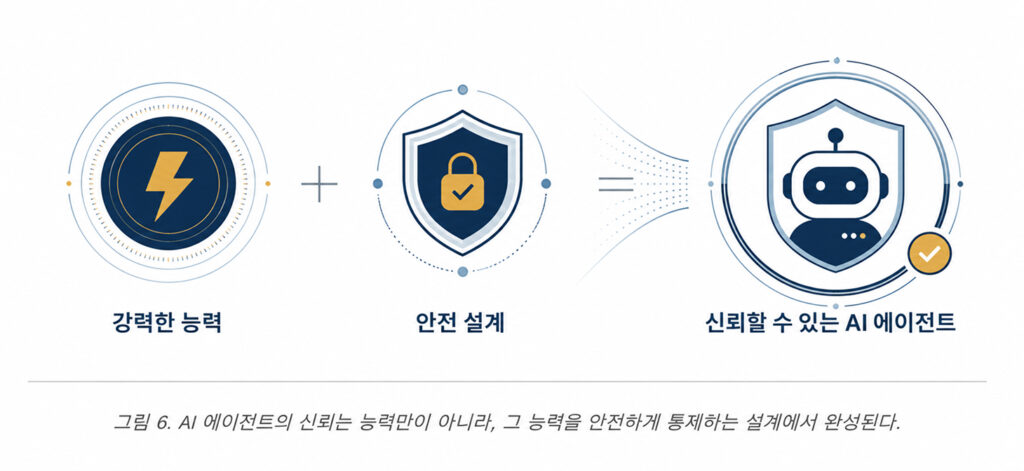
The incident where “AI wiped my computer” certainly sounds frightening. However, what this event truly tells us is not that we should fear AI. The issue lies not in the capability of AI itself, but in the lack of sufficient architectural design to safely control that capability.
As automobiles became faster, safety technologies like seatbelts, airbags, and anti lock braking systems evolved alongside them. The same applies to AI agents. As the range of tasks AI can handle expands, access permissions and execution boundaries must be carefully controlled, accompanied by guardrails that prevent mistakes from escalating into widespread damage.
Building such a secure environment cannot be achieved simply by slapping on a few security features. Access permissions must be designed to align with an enterprise’s business structure and data characteristics, multiple safeguards must be organically integrated, and continuous responses to emerging threats are essential. Achieving this requires domain expertise that encompasses not only AI models, but also infrastructure, security, and actual business environments.
AI is not something to be vaguely feared or avoided. When properly architected and controlled, it serves as a powerful catalyst for enterprise productivity. Safely translating that potential into real world operations is precisely why specialized AI agent companies are essential.
※ Note: This article is an analytical piece based on reporting from Tom’s Hardware and publicly available materials released by relevant companies. The real world cases and company names mentioned in this post are cited strictly for factual context and technical discussion.